---
title: "Introduction to Geospatial Data Visualisation with R"
author: "Martin Schweinberger"
date: "2026"
params:
title: "Introduction to Geospatial Data Visualisation with R"
author: "Martin Schweinberger"
year: "2026"
version: "3.1.1"
date_published: "2026-10-28"
url: "https://ladal.edu.au/tutorials/geospatial/geospatial.html"
institution: "The Language Technology and Data Analysis Laboratory (LADAL), The University of Queensland, Australia"
description: "A hands-on introduction to static geospatial data visualisation in R using sf, ggplot2, rnaturalearth and tmap, aimed at linguists and digital humanities researchers working with spatial language data."
keywords: "geospatial, mapping, sf, ggplot2, tmap, rnaturalearth, projections, choropleth, cartography, linguistic geography"
doi: ""
format:
html:
toc: true
toc-depth: 4
code-fold: show
code-tools: true
theme: cosmo
---
{width="100%" height="200px" loading="lazy"}
# Introduction {-}
{width="15%" style="float:right; padding:10px"}
This tutorial introduces static geospatial data visualisation in R: how to turn spatial information — country boundaries, fieldwork sites, dialect regions, speaker populations — into publication-quality maps that support linguistic argument. It focuses on the two most widely used tools in the modern R mapping ecosystem: the `sf` package [@pebesma2018simple] for handling spatial data, and `ggplot2` [@wickham2016ggplot2] for drawing maps, with a short comparative look at `tmap` [@tennekes2018tmap].
The emphasis throughout is practical and reproducible. Every example uses data that is either built into R or downloadable from CRAN packages, so you can run every chunk without hunting down shape files. The examples are drawn from language-related contexts — world-level country data, point locations of English corpora, European language distributions — but the techniques transfer directly to any spatial domain.
Interactive mapping with `leaflet` is deliberately out of scope here. If you need pan-and-zoom maps with popups and tooltips, see the LADAL tutorial on [Interactive Visualizations in R](/tutorials/interactive_viz/interactive_viz.html), which covers `leaflet` and related tools in depth. This tutorial is about static, print-quality cartography.
::: {.callout-note}
## Citation
```{r citation-callout-top, echo=FALSE, results='asis'}
doi_link <- if (nchar(trimws(params$doi)) > 0) {
paste0(
" doi: <a href=\"https://doi.org/", params$doi,
"\" target=\"_blank\">", params$doi, "</a>."
)
} else { "" }
cat(
params$author, ". ",
params$year, ". *",
params$title, "*. ",
params$institution, ". ",
"url: ", params$url, " ",
"(Version ", params$version, ").",
doi_link,
sep = ""
)
```
:::
**Preparation and session set up**
This tutorial uses a small set of packages from CRAN. If you have not installed them yet, run the installation chunk below once. The `rnaturalearthdata` package carries the medium-resolution country boundaries used throughout the tutorial, so it needs to be installed alongside `rnaturalearth`.
```{r install, eval=FALSE, echo=TRUE}
install.packages("sf")
install.packages("dplyr")
install.packages("tibble")
install.packages("ggplot2")
install.packages("ggspatial")
install.packages("ggrepel")
install.packages("rnaturalearth")
install.packages("rnaturalearthdata")
install.packages("tmap")
install.packages("scales")
install.packages("viridis")
install.packages("flextable")
install.packages("checkdown")
```
Once installed, load them:
```{r libraries, message=FALSE, warning=FALSE}
library(sf)
library(dplyr)
library(tibble)
library(ggplot2)
library(ggspatial)
library(ggrepel)
library(rnaturalearth)
library(rnaturalearthdata)
library(tmap)
library(scales)
library(viridis)
library(flextable)
library(checkdown)
```
::: {.callout-tip}
## Learning Objectives
By the end of this tutorial, you will be able to:
- explain what a simple feature is and how `sf` represents spatial data in R
- obtain world and regional map data using `rnaturalearth` and read shape files or GeoJSON from disk
- draw a basic country map in `ggplot2` using `geom_sf()`
- create a choropleth map by joining attribute data to geometries
- plot point data (such as fieldwork sites or corpus locations) on a base map, with labels that do not overlap
- transform between coordinate reference systems and choose a projection appropriate to the map's purpose
- add cartographic furniture such as scale bars, north arrows, titles and legends with `ggspatial`
- produce a thematic map in `tmap` and recognise where it is quicker than `ggplot2`
- export maps at an appropriate resolution and format for publication
:::
::: {.callout-warning}
## Prerequisites
This tutorial assumes familiarity with:
- the basics of R and RStudio, as covered in [Getting Started with R](/tutorials/r_intro/r_intro.html)
- data wrangling with `dplyr`, as covered in [Handling Tables in R](/tutorials/table/table.html)
- the fundamentals of `ggplot2`, as covered in [Introduction to Data Visualization](/tutorials/data_viz_intro/data_viz_intro.html)
No prior exposure to GIS software is required.
:::
---
# Spatial Data in R {#spatial-data}
::: {.callout-note}
## Section overview
This section introduces simple features — the standard way of representing spatial vector data in R — and the `sf` package that implements them. You will see what an `sf` object looks like, how its geometry column works, and why the design makes spatial data play well with the rest of the tidyverse.
:::
## Simple features {-}
A **simple feature** is a geographic object with a geometry and (usually) some attribute data attached to it. The geometry is one of a small set of shapes: a point (a single location), a line (a sequence of connected points), a polygon (a closed shape), or a collection of these. Everything cartographic you will do in this tutorial is some combination of these shapes.
The `sf` package [@pebesma2018simple] implements this model in R. An `sf` object is a regular data frame with one special column — the **geometry column** — that stores the geographic shape for each row. The other columns hold whatever attribute information travels with the shape: a country name, a population estimate, an ISO code, a measurement from fieldwork. Because the object inherits from `data.frame`, every tidyverse verb (`filter()`, `mutate()`, `select()`, `left_join()`, `summarise()`) works on it unchanged. The geometry comes along for the ride.
Load a world dataset at medium resolution from `rnaturalearth` and inspect it:
```{r sf-world-load, message=FALSE, warning=FALSE}
world <- rnaturalearth::ne_countries(scale = "medium", returnclass = "sf")

class(world)
```
The class tells us this is both an `sf` object and a `data.frame`. Looking at the first few columns and rows:
```{r sf-world-head, message=FALSE, warning=FALSE}
world |>
  dplyr::select(name_long, continent, pop_est, gdp_md) |>
  head(5)
```
Notice the final `geometry` column at the bottom of the print output: it holds a `MULTIPOLYGON` for each country, because countries are polygons (some, like Indonesia, consist of many disjoint polygons, hence `MULTI`). The polygons themselves are stored as sequences of coordinate pairs, but you rarely need to look at them directly — `sf` handles the geometry transparently as long as you use its functions.
## Coordinate reference systems {-}
Every `sf` object carries a **coordinate reference system** (CRS), which specifies how the numeric coordinates in the geometry column map onto locations on the Earth. Without a CRS, the numbers are meaningless. You can inspect the CRS with `sf::st_crs()`:
```{r sf-world-crs, message=FALSE, warning=FALSE}
sf::st_crs(world)$input
```
The output `EPSG:4326` is the near-universal default for longitude/latitude data on the WGS84 ellipsoid — the system GPS devices use. We will come back to CRSs in detail in the section on [projections](#projections). For now, the main thing to know is that if two `sf` objects have different CRSs, you must transform one of them before combining them.
## Simple feature geometry types {-}
The `sf` model supports a small, standardised set of geometry types. The three you will meet most often are:
- `POINT` — a single location, used for things like fieldwork sites, cities, or speaker addresses
- `LINESTRING` — a connected sequence of points, used for things like roads, rivers, or isogloss lines
- `POLYGON` — a closed shape, used for countries, regions, or dialect areas
The `MULTI` variants (`MULTIPOINT`, `MULTILINESTRING`, `MULTIPOLYGON`) hold several geometries of the same type as a single feature. The United Kingdom, for example, is a `MULTIPOLYGON` because it includes Great Britain, Northern Ireland, and many smaller islands as separate polygons that belong to one country.
**Q1. You load a shape file of Australian local government areas with `sf::read_sf()`. What makes the resulting object a *simple feature* rather than just a data frame?**
```{r}
#| echo: false
#| label: "GEO_Q1"
check_question(
"It has a dedicated geometry column that stores a shape for each row, plus an attached coordinate reference system",
options = c(
"It has a dedicated geometry column that stores a shape for each row, plus an attached coordinate reference system",
"It stores latitude and longitude as two separate numeric columns",
"It is read from a shape file rather than a CSV",
"It uses the sf class but is otherwise identical to any other data frame"
),
type = "radio",
q_id = "GEO_Q1",
random_answer_order = TRUE,
button_label = "Check answer",
right = "Correct! An sf object is a data frame with two spatial additions: a geometry column holding the shape (POINT, LINESTRING, POLYGON or a MULTI variant) for each row, and a coordinate reference system that specifies how those coordinates map onto the Earth. The attribute columns behave like any ordinary data frame, which is why dplyr verbs work on sf objects unchanged.",
wrong = "Think about what sf adds that a plain data frame of coordinates does not. There are two spatial pieces of information."
)
```
---
# Getting Map Data {#getting-data}
::: {.callout-note}
## Section overview
This section covers how to obtain the geographic base layers your maps need. For most linguistic use cases, the `rnaturalearth` package will give you what you want with a single function call. Loading shape files or GeoJSON from disk is also a one-liner, and both are covered here.
:::
## rnaturalearth {-}
The `rnaturalearth` package [@southjeworrek2024rnaturalearth] bundles data from [Natural Earth](https://www.naturalearthdata.com/), a public-domain cartographic dataset used widely in professional publishing. For countries, use `ne_countries()`:
```{r rne-countries, message=FALSE, warning=FALSE}
world <- rnaturalearth::ne_countries(scale = "medium", returnclass = "sf")
```
The `scale` argument controls level of detail. `"small"` gives you a tiny file good enough for world-scale thumbnails; `"medium"` is a sensible default for most publication maps; `"large"` is finer but requires the separately installable `rnaturalearthhires` package. The `returnclass = "sf"` argument is important — without it, `ne_countries()` returns an older spatial format that most modern code does not expect.
To pull a specific region, filter after loading rather than passing a region argument — the dataset's `continent`, `region_un`, and `subregion` columns give you fine-grained control:
```{r rne-europe, message=FALSE, warning=FALSE}
europe <- world |>
  dplyr::filter(continent == "Europe",
                name_long != "Russia")
```
Dropping Russia from a European map is a common cartographic choice because its vast longitudinal extent otherwise forces you either to zoom out and lose detail elsewhere, or to clip the geometry.
## Reading shape files and GeoJSON {-}
If someone sends you a shape file (`.shp`) or a GeoJSON (`.geojson`), `sf::read_sf()` reads either into an `sf` object:
```{r read-sf-example, eval=FALSE}
# shape file (also reads the companion .dbf, .shx, .prj in the same folder)
dialect_areas <- sf::read_sf("data/dialect_areas.shp")

# GeoJSON
dialect_areas <- sf::read_sf("data/dialect_areas.geojson")
```
Shape files are a group of files sharing the same base name (`.shp`, `.dbf`, `.shx`, and ideally `.prj`), so they must all live in the same folder for the read to succeed. GeoJSON is a single text file and is easier to share.
## Other sources {-}
Beyond `rnaturalearth`, three sources come up frequently in linguistic research. The [GADM](https://gadm.org/) project provides administrative boundaries at multiple levels (country, state, local government area) — useful for dialectology or regional sociolinguistics. [OpenStreetMap](https://www.openstreetmap.org) data is accessible through the `osmdata` package when you need streets, buildings, or points of interest. For world language data specifically, [Glottolog](https://glottolog.org) [@hammarstrom2022glottolog] provides language locations as point data that can be loaded from its downloadable CSVs.
---
# Your First Map with ggplot2 {#first-map}
::: {.callout-note}
## Section overview
This section covers the fundamental building block of mapping in the tidyverse: `geom_sf()`. You will see how to draw a country, a region, and a styled map, and how to zoom to an area of interest with `coord_sf()`.
:::
## A minimal world map {-}
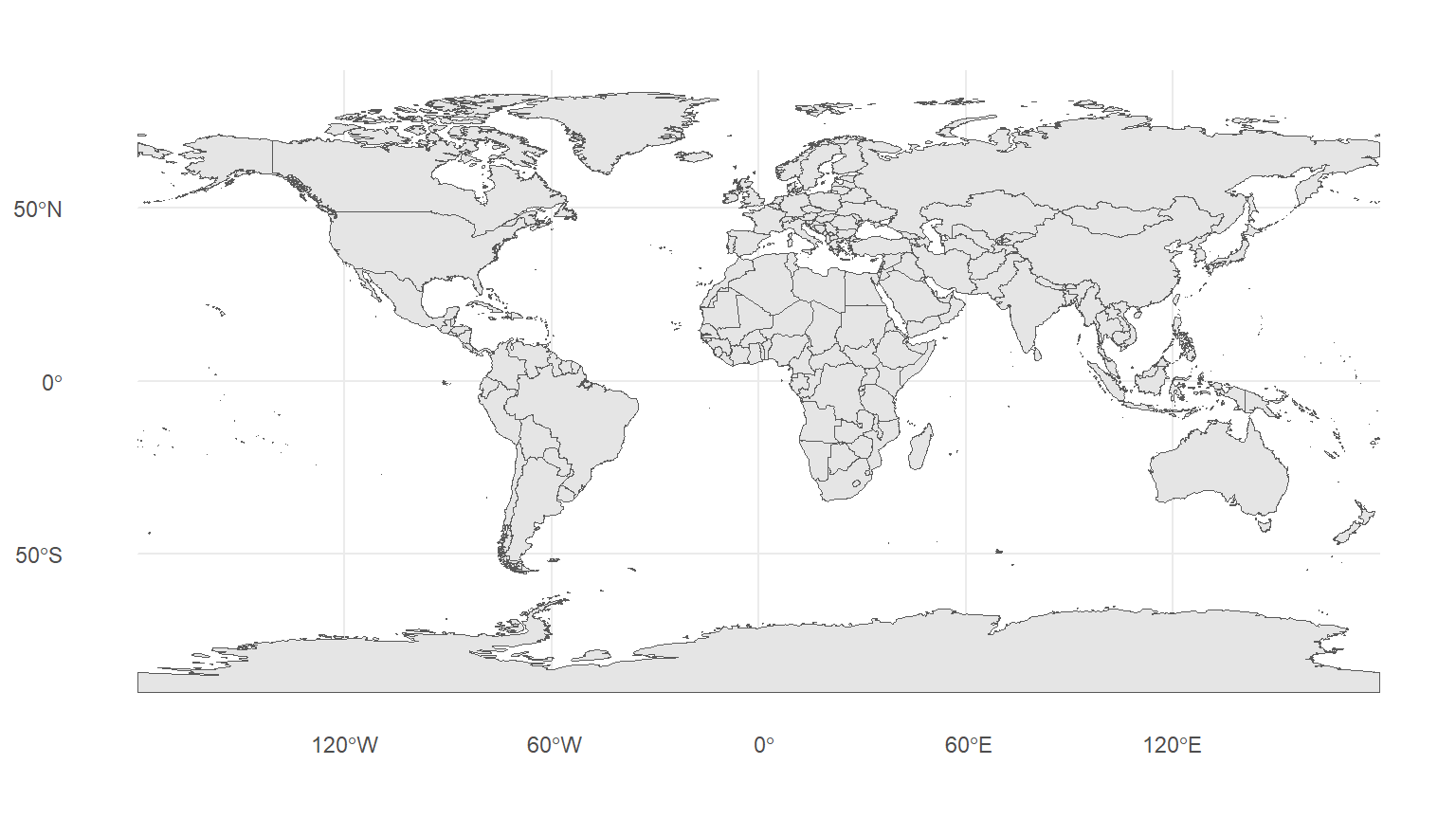
The simplest possible map uses `geom_sf()` with no aesthetics at all:
```{r first-map-world, message=FALSE, warning=FALSE, fig.width=8, fig.height=4.5}
ggplot(data = world) +
  geom_sf() +
  theme_minimal()
```
`geom_sf()` figures out from the geometry type what to draw: polygons get a fill and an outline, lines get a stroke, points get a dot. You do not need to tell it which columns hold the coordinates — the geometry column handles that.
## Styling the map {-}
Fill and outline colour, line width, and transparency are set the same way as for any other `ggplot2` geom:
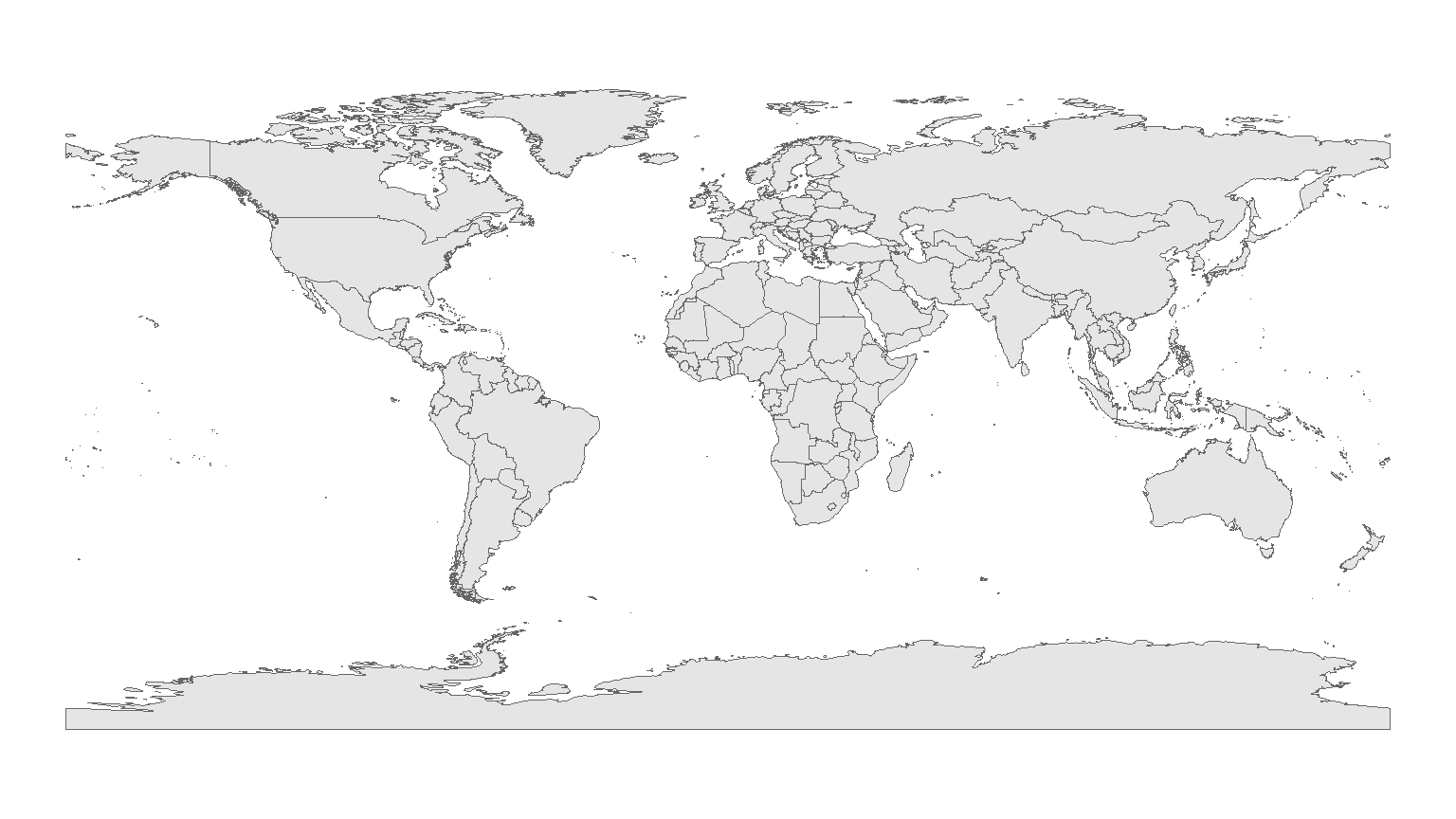
```{r first-map-styled, message=FALSE, warning=FALSE, fig.width=8, fig.height=4.5}
ggplot(data = world) +
  geom_sf(fill = "grey90", colour = "grey40", linewidth = 0.2) +
  theme_void()
```
`theme_void()` strips away the panel grid, axes, and background — a good default for stand-alone maps where latitude and longitude values would be visual clutter. Keep `theme_minimal()` or `theme_bw()` when the coordinate values matter, as they can for comparing locations precisely.
## Zooming to a region {-}
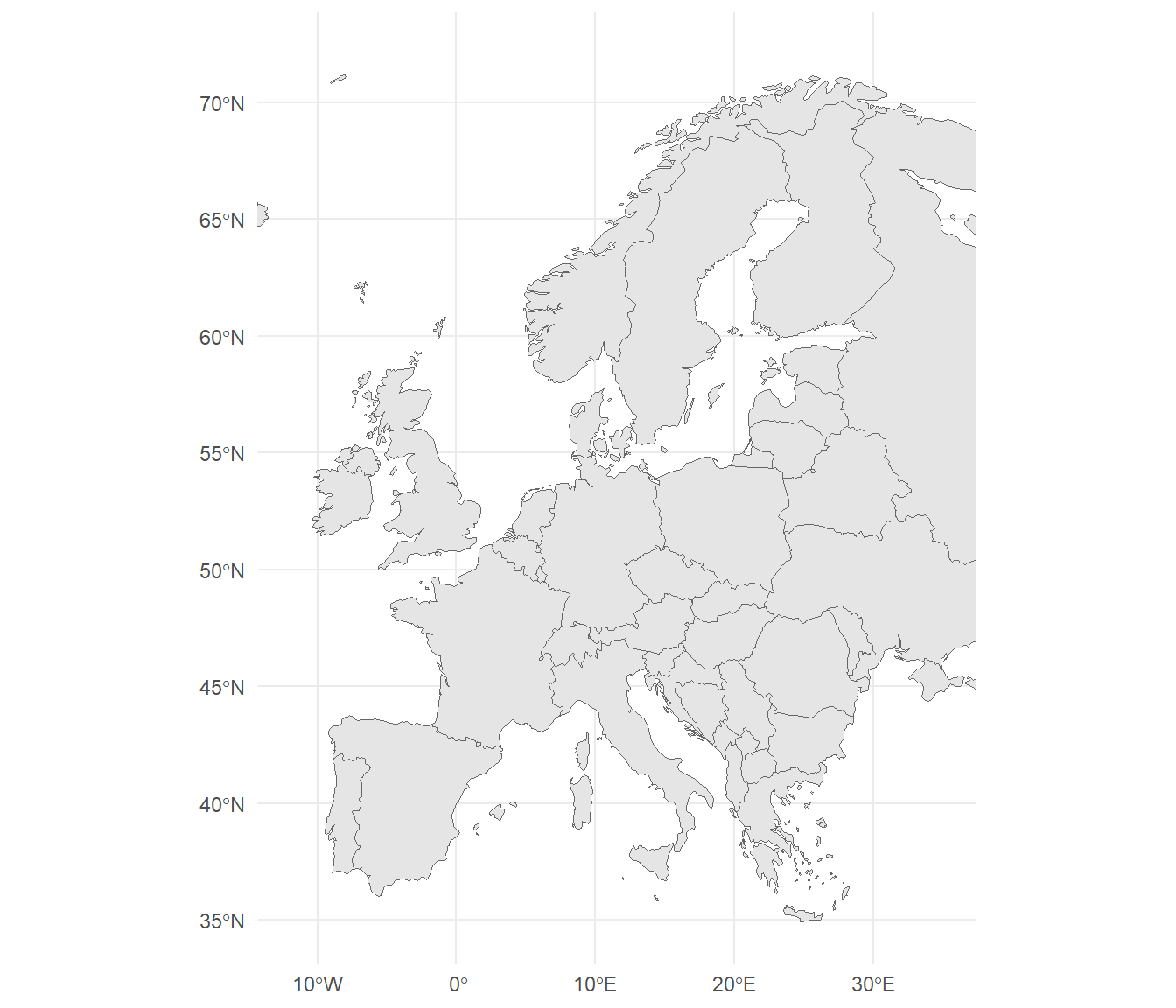
`coord_sf()` controls the mapped area. Pass longitude limits as `xlim` and latitude limits as `ylim`:
```{r first-map-europe, message=FALSE, warning=FALSE, fig.width=7, fig.height=6}
ggplot(data = europe) +
  geom_sf(fill = "grey90", colour = "grey40", linewidth = 0.2) +
  coord_sf(xlim = c(-12, 35), ylim = c(35, 72)) +
  theme_minimal()
```
`coord_sf()` is projection-aware: if you later specify a CRS with `crs = ...`, it will reproject the data on the fly. This matters because the simple `xlim`/`ylim` clip is applied *after* projection, so you get a sensible rectangular window in your map's own coordinate system rather than a distorted one.
**Q2. You draw a map of Europe with `ggplot(data = europe) + geom_sf()` and want to crop the display to just Scandinavia. Which `coord_sf()` call is correct?**
```{r}
#| echo: false
#| label: "GEO_Q2"
check_question(
"coord_sf(xlim = c(4, 32), ylim = c(54, 72))",
options = c(
"coord_sf(xlim = c(4, 32), ylim = c(54, 72))",
"coord_sf(xlim = c(54, 72), ylim = c(4, 32))",
"coord_sf(x = c(4, 32), y = c(54, 72))",
"coord_cartesian(xlim = c(4, 32), ylim = c(54, 72))"
),
type = "radio",
q_id = "GEO_Q2",
random_answer_order = TRUE,
button_label = "Check answer",
right = "Correct! xlim takes longitude values (east-west, roughly 4 to 32 degrees for Scandinavia) and ylim takes latitude values (north-south, roughly 54 to 72). coord_sf() is the right choice because it understands sf objects and respects any projection you set, unlike coord_cartesian() which would ignore the CRS.",
wrong = "Two things matter here: which axis is longitude vs latitude, and which coord_* function is projection-aware. One of the options has both correct."
)
```
---
# Choropleth Maps {#choropleth}
::: {.callout-note}
## Section overview
A choropleth map colours regions according to a variable: GDP per country, speakers per million, dialect density per county. This section covers how to join an attribute to a geometry, how to pick a sensible colour scale for continuous and categorical variables, and the pitfalls that make a choropleth misleading.
:::
## Mapping a continuous variable {-}
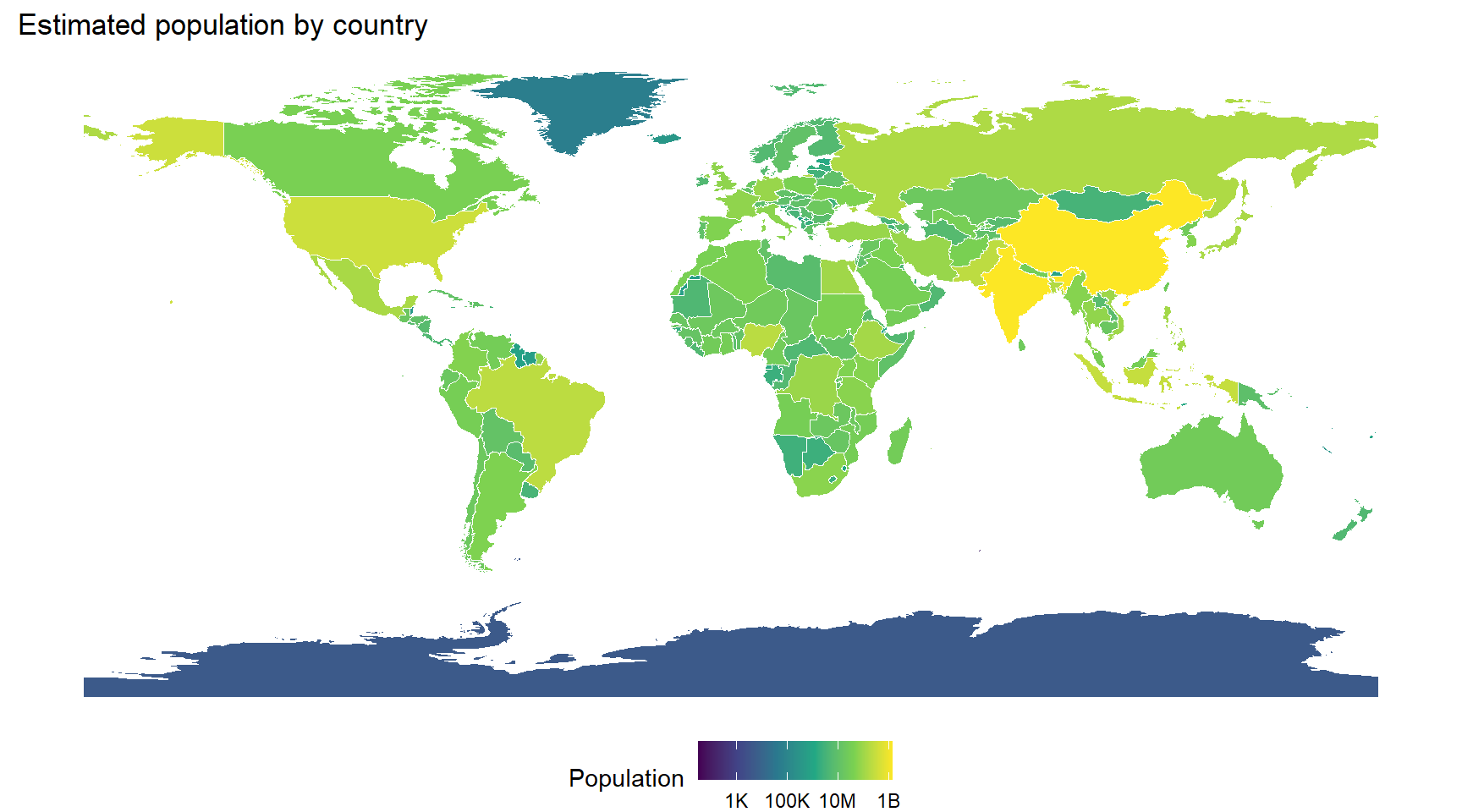
Many choropleth variables you will want to show are already present on the `rnaturalearth` dataset. Population estimate is a good example:
```{r choro-pop, message=FALSE, warning=FALSE, fig.width=9, fig.height=5}
ggplot(data = world) +
  geom_sf(aes(fill = pop_est), colour = "white", linewidth = 0.1) +
  scale_fill_viridis_c(
    name   = "Population",
    trans  = "log10",
    labels = scales::label_number(scale_cut = scales::cut_short_scale()),
    na.value = "grey90"
  ) +
  labs(title = "Estimated population by country") +
  theme_void() +
  theme(legend.position = "bottom")
```
Two things are worth noting. First, population is extremely skewed — China and India dwarf the rest — so a log transformation (`trans = "log10"`) keeps the smaller countries visible rather than painting them all the same colour. Second, viridis is a perceptually uniform colour scale that works well for colourblind viewers and prints legibly in greyscale, which is why it is the modern default.
## Joining your own data {-}
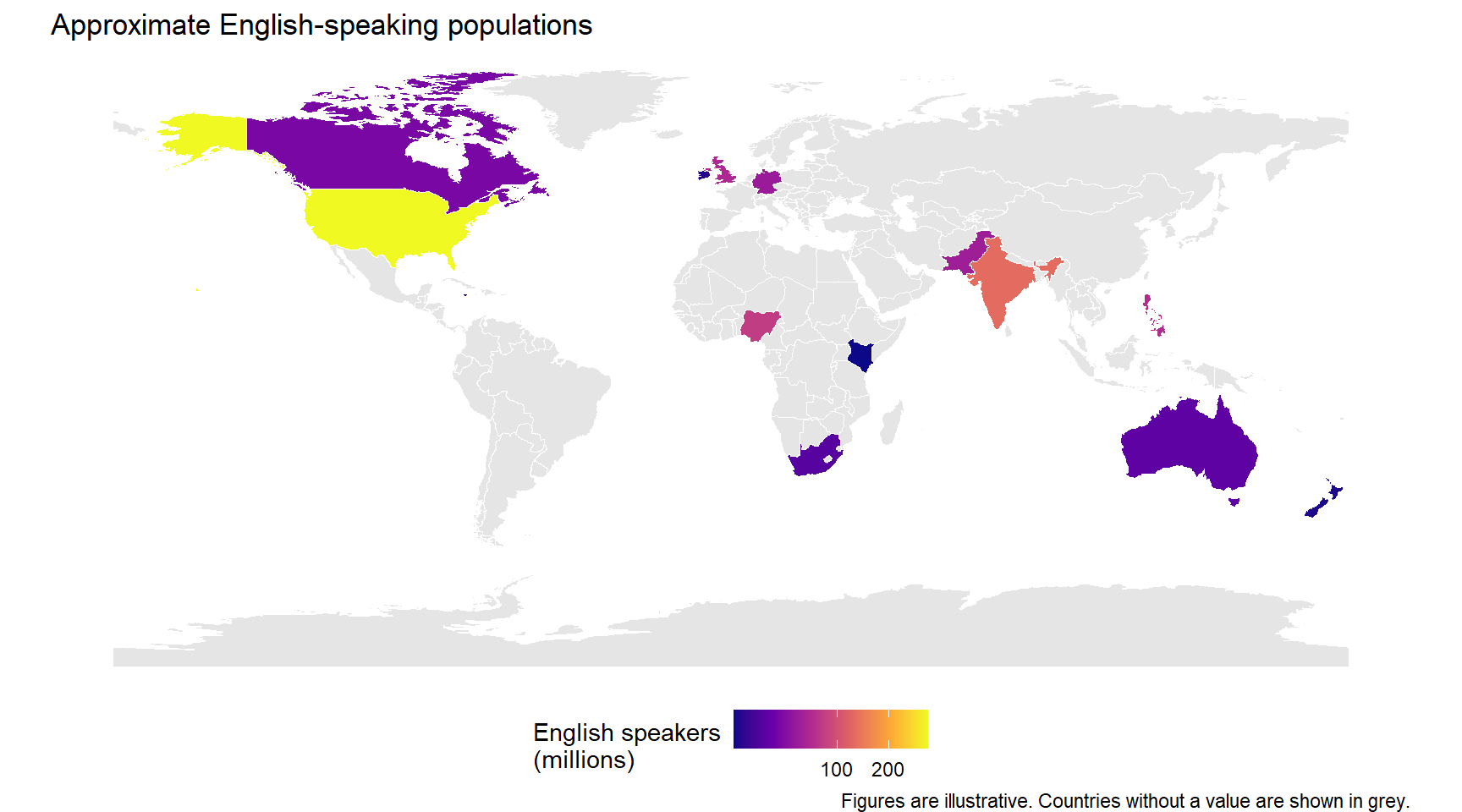
More often, the variable you want to map is in a separate data frame and needs to be joined to the geometries. Suppose we have an inline table of English speaker populations (rough figures, for illustration):
```{r choro-join-data, message=FALSE, warning=FALSE}
english_speakers <- tibble::tribble(
  ~iso_a2, ~en_speakers_mln,
  "US",    298,
  "GB",     60,
  "IN",    129,
  "NG",     79,
  "PK",     49,
  "PH",     64,
  "CA",     29,
  "AU",     19,
  "DE",     46,
  "FR",     23,
  "ZA",     16,
  "KE",      3,
  "IE",      5,
  "NZ",      4,
  "SG",      4,
  "JM",      3
)
```
Joining this to the geometries is a standard `left_join()`:
```{r choro-join, message=FALSE, warning=FALSE}
world_en <- world |>
  dplyr::left_join(english_speakers, by = "iso_a2")
```
Because `world` is an `sf` object and `english_speakers` is a plain tibble, the result is an `sf` object with a new column — the join preserves the geometry. Mapping the new variable follows the same pattern:
```{r choro-join-map, message=FALSE, warning=FALSE, fig.width=9, fig.height=5}
ggplot(data = world_en) +
  geom_sf(aes(fill = en_speakers_mln), colour = "white", linewidth = 0.1) +
  scale_fill_viridis_c(
    name    = "English speakers\n(millions)",
    option  = "plasma",
    trans   = "sqrt",
    na.value = "grey90"
  ) +
  labs(title    = "Approximate English-speaking populations",
       caption  = "Figures are illustrative. Countries without a value are shown in grey.") +
  theme_void() +
  theme(legend.position = "bottom")
```
Grey for missing data is a standard cartographic choice because it reads as "no information" rather than "zero". Treating missing values as zero on the colour scale is a common and misleading error.
## Categorical fills {-}
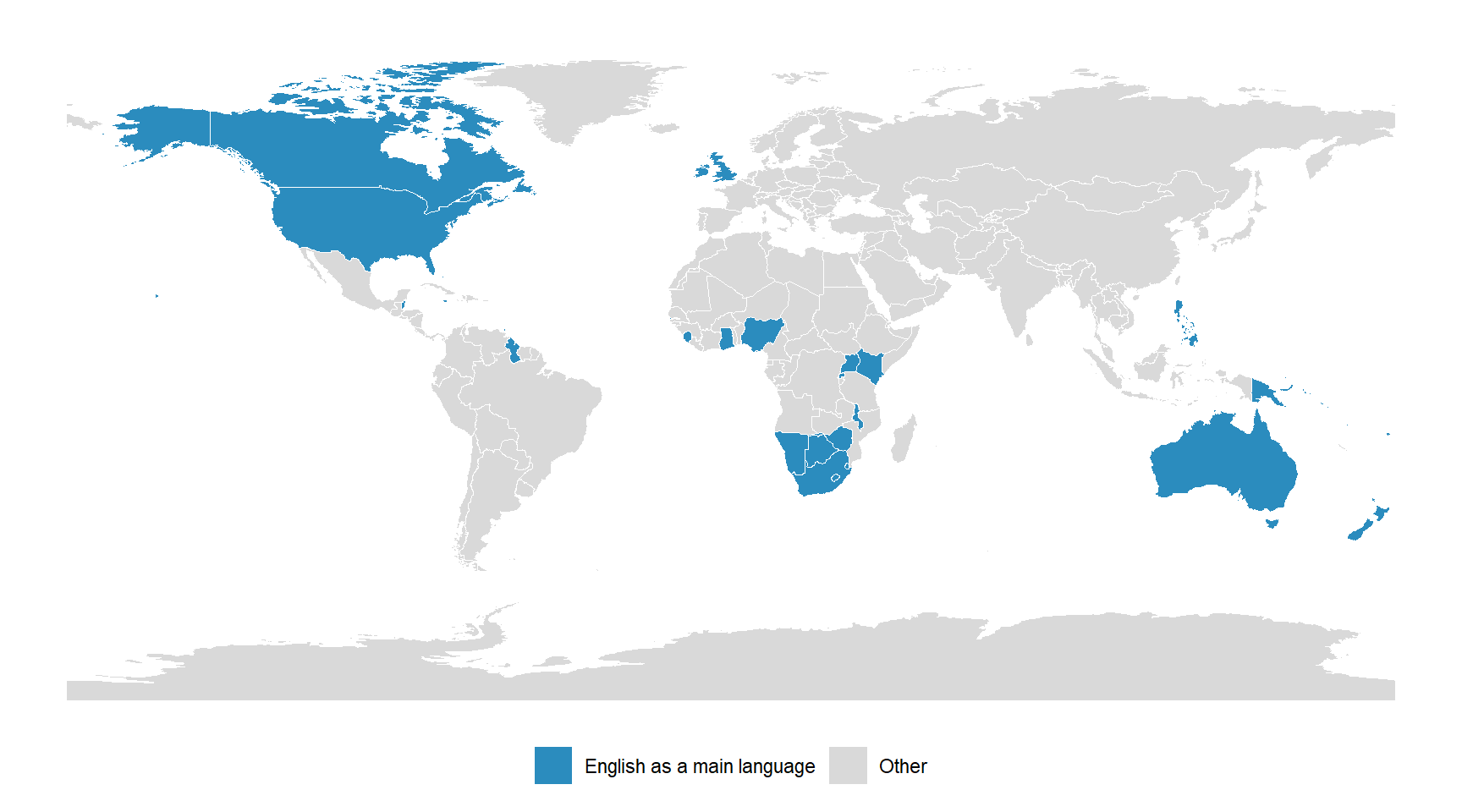
For a categorical variable — say, highlighting countries where English is a de facto main language against all others — the approach is the same but the scale is discrete:
```{r choro-highlight, message=FALSE, warning=FALSE, fig.width=9, fig.height=5}
english_main <- c("US", "GB", "CA", "AU", "NZ", "IE",
                  "JM", "TT", "BB", "GY", "BZ", "BS", "AG",
                  "ZA", "ZW", "NA", "BW", "SZ", "LS", "MW",
                  "NG", "GH", "KE", "UG", "RW", "SL", "GM",
                  "SG", "PH", "FJ", "PG", "SB", "VU", "WS")

world_highlight <- world |>
  dplyr::mutate(
    english_status = dplyr::if_else(iso_a2 %in% english_main,
                                    "English as a main language",
                                    "Other")
  )

ggplot(data = world_highlight) +
  geom_sf(aes(fill = english_status), colour = "white", linewidth = 0.1) +
  scale_fill_manual(
    name   = NULL,
    values = c("English as a main language" = "#2b8cbe",
               "Other"                      = "grey85")
  ) +
  theme_void() +
  theme(legend.position = "bottom")
```
The `scale_fill_manual()` call pins each category to an explicit colour, which gives you full control and makes the map's intent unambiguous.
## What makes a choropleth misleading {-}
Choropleths are easy to draw and easy to misread. The three most common problems are worth knowing. First, raw counts almost always just reproduce the population map — a map of absolute English speakers is dominated by the United States and India not because English is especially concentrated there, but because the countries are large. Normalising to a rate or a proportion (speakers per million, say) is usually what you want. Second, the colour scale shapes the story: equal-interval breaks can hide variation in a skewed distribution, and quantile breaks can exaggerate small differences. Pick breaks and transformations that match the variable. Third, polygon size has no relationship to the attribute: a huge sparsely populated country looks visually dominant whether its value is high or low. For variables where this matters, consider a cartogram or a dot-density approach instead [@monmonier2018lie].
**Q3. You want to compare the share of a country's population that speaks English as a first language across countries. Which mapping choice is most likely to tell an honest visual story?**
```{r}
#| echo: false
#| label: "GEO_Q3"
check_question(
"Map the proportion (speakers divided by total population) with a sequential colour scale and show countries without data in grey",
options = c(
"Map the proportion (speakers divided by total population) with a sequential colour scale and show countries without data in grey",
"Map the absolute number of speakers with a linear colour scale",
"Map the absolute number of speakers and set missing countries to zero on the scale",
"Map rank order of speaker counts, so the top country is red and the bottom is blue"
),
type = "radio",
q_id = "GEO_Q3",
random_answer_order = TRUE,
button_label = "Check answer",
right = "Correct! The question is about share of population, which is a proportion — not a raw count — so dividing speakers by total population is essential. A sequential (single-hue) scale is appropriate for a quantity that runs from low to high, and showing missing countries in grey avoids silently coding 'no data' as 'zero'. Mapping raw counts would just reproduce the population map; coding missing as zero would misrepresent countries you have no information about.",
wrong = "Think about three things: the right numerator and denominator for the question, how to colour a sequential quantity, and how to treat countries with no data."
)
```
---
# Point Maps {#point-maps}
::: {.callout-note}
## Section overview
Point maps show individual locations: fieldwork sites, corpus collection cities, speaker addresses, language family centroids. This section covers how to turn a table of latitude/longitude into an `sf` object, plot the points on a base map, and label them without overlapping text.
:::
## From a data frame to an sf object {-}
Many spatial datasets arrive as plain tables with a longitude column and a latitude column. The locations of the International Corpus of English (ICE) component collection cities make a good example:
```{r pt-data, message=FALSE, warning=FALSE}
ice_sites <- tibble::tribble(
  ~variety,    ~city,          ~country,          ~lon,     ~lat,
  "ICE-GB",    "London",       "United Kingdom", -0.1278,  51.5074,
  "ICE-IRL",   "Dublin",       "Ireland",        -6.2603,  53.3498,
  "ICE-CAN",   "Vancouver",    "Canada",       -123.1207,  49.2827,
  "ICE-JAM",   "Kingston",     "Jamaica",       -76.7936,  17.9712,
  "ICE-NIG",   "Lagos",        "Nigeria",         3.3792,   6.5244,
  "ICE-EA",    "Nairobi",      "Kenya",          36.8219,  -1.2921,
  "ICE-IND",   "Mumbai",       "India",          72.8777,  19.0760,
  "ICE-SIN",   "Singapore",    "Singapore",     103.8198,   1.3521,
  "ICE-HK",    "Hong Kong",    "Hong Kong",     114.1694,  22.3193,
  "ICE-PHI",   "Manila",       "Philippines",   120.9842,  14.5995,
  "ICE-AUS",   "Sydney",       "Australia",     151.2093, -33.8688,
  "ICE-NZ",    "Christchurch", "New Zealand",   172.6362, -43.5321
)
```
To use this as spatial data, convert it with `sf::st_as_sf()`, telling it which columns hold the coordinates and in which CRS:
```{r pt-convert, message=FALSE, warning=FALSE}
ice_sf <- sf::st_as_sf(
  ice_sites,
  coords = c("lon", "lat"),
  crs    = 4326
)
```
`coords = c("lon", "lat")` lists longitude *first*, because longitude is the x-coordinate; this trips people up because many people say "lat-long" in speech. `crs = 4326` is the EPSG code for WGS84 longitude/latitude, which is almost always correct for data that came out of a GPS, phone, or geocoding service.
## Plotting points on a base map {-}
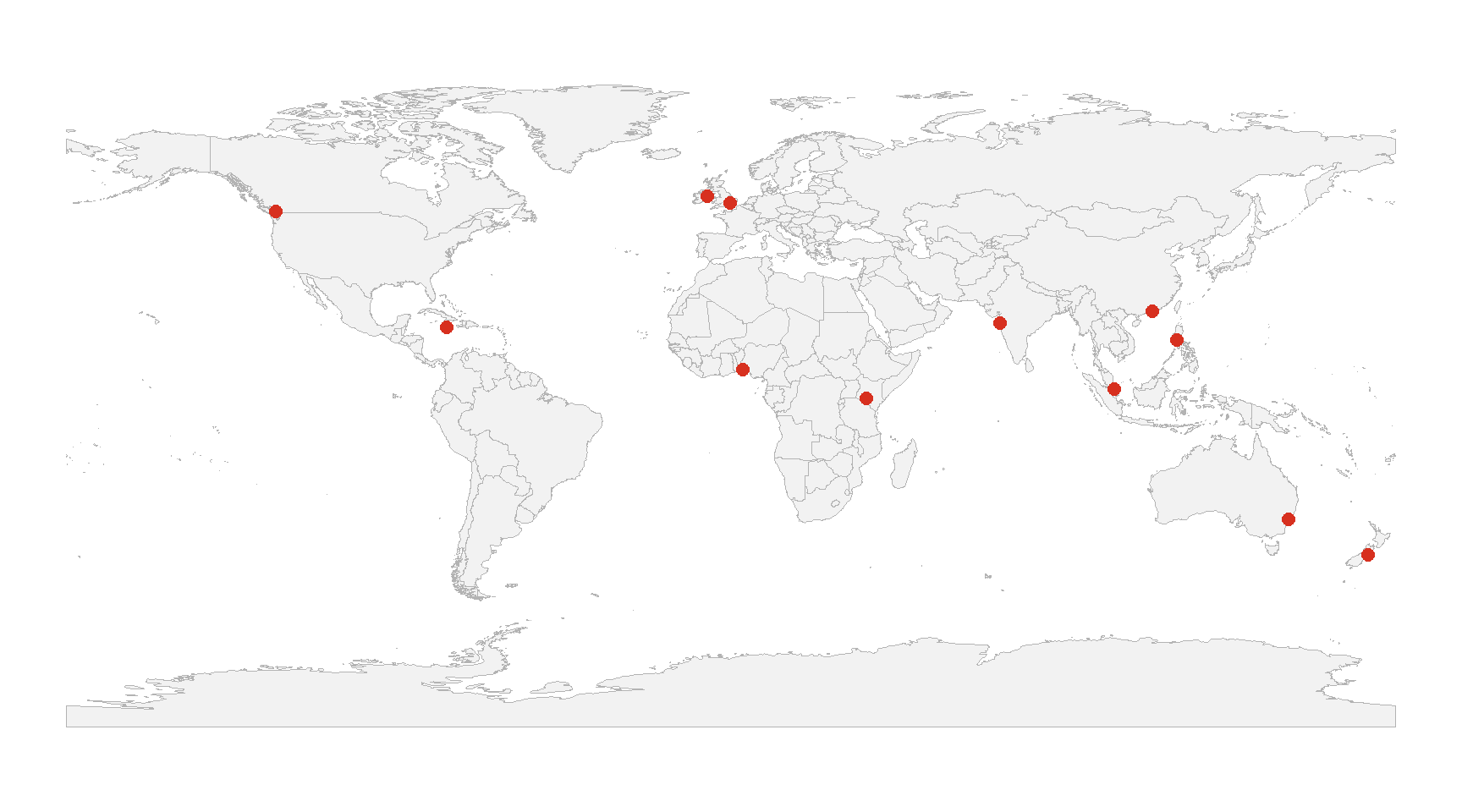
Combining a polygon base map with points is a matter of layering two `geom_sf()` calls:
```{r pt-basic, message=FALSE, warning=FALSE, fig.width=9, fig.height=5}
ggplot() +
  geom_sf(data = world, fill = "grey95", colour = "grey70", linewidth = 0.2) +
  geom_sf(data = ice_sf, colour = "#d7301f", size = 2.5) +
  theme_void()
```
Draw the base layer first and the points second so the points sit on top.
## Non-overlapping labels {-}
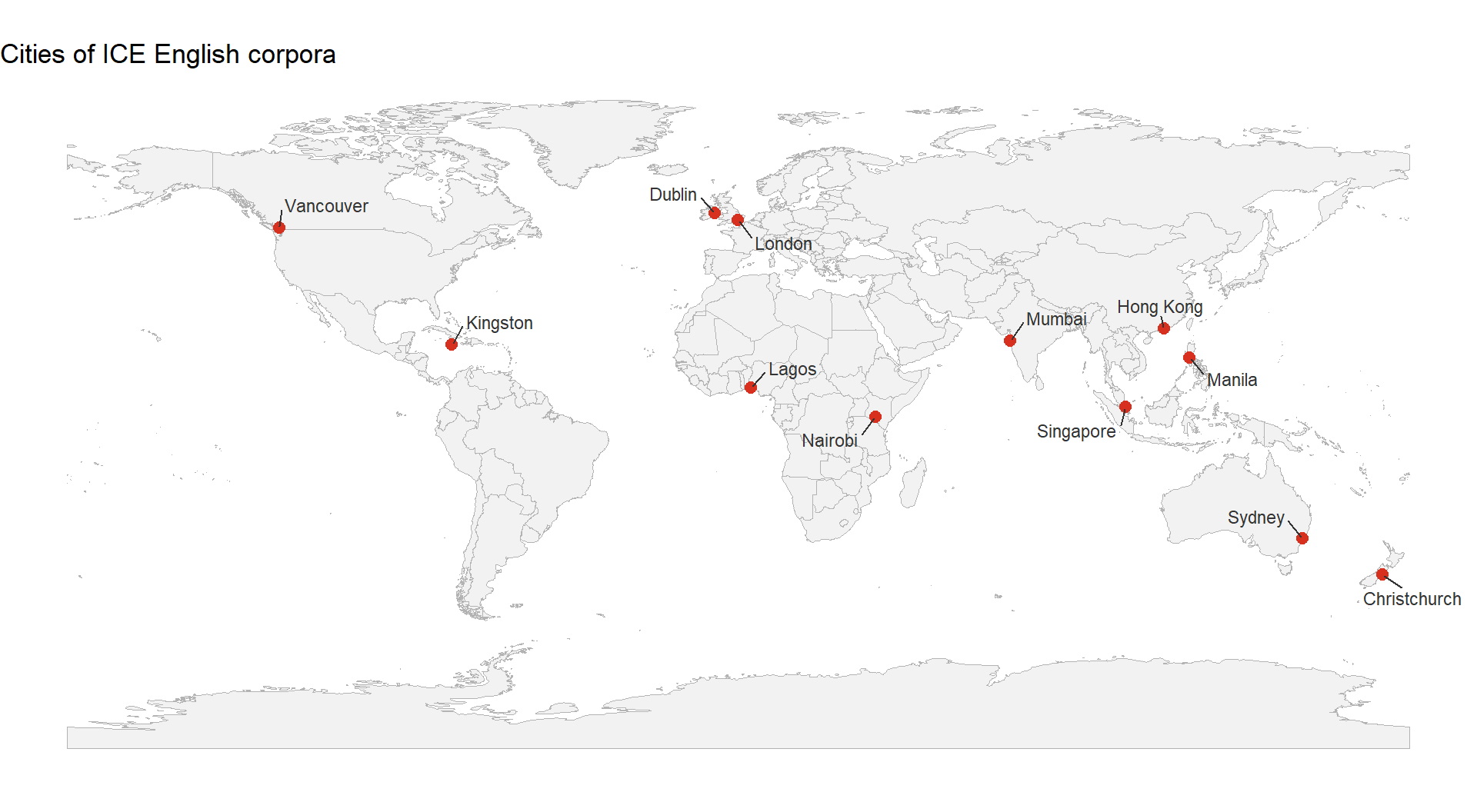
Default text labels on a world map will collide. The `ggrepel` package provides `geom_text_repel()` and `geom_label_repel()`, which push labels off each other and off the points automatically. `ggrepel` does not read `sf` geometries directly, but you can keep the original `lon` and `lat` columns on your data and pass them in via `aes()`:
```{r pt-labels, message=FALSE, warning=FALSE, fig.width=10, fig.height=5.5}
ggplot() +
  geom_sf(data = world, fill = "grey95", colour = "grey70", linewidth = 0.2) +
  geom_sf(data = ice_sf, colour = "#d7301f", size = 2.5) +
  ggrepel::geom_text_repel(
    data   = ice_sites,
    aes(x = lon, y = lat, label = city),
    size   = 3,
    colour = "grey20",
    min.segment.length = 0,
    box.padding        = 0.5,
    max.overlaps       = Inf
  ) +
  labs(title = "Cities of ICE English corpora") +
  theme_void()
```
`min.segment.length = 0` ensures a leader line is drawn even for short displacements, which keeps the city–label pairing unambiguous. `max.overlaps = Inf` tells `ggrepel` not to silently drop labels when it cannot place them perfectly.
## Sizing points by a variable {-}
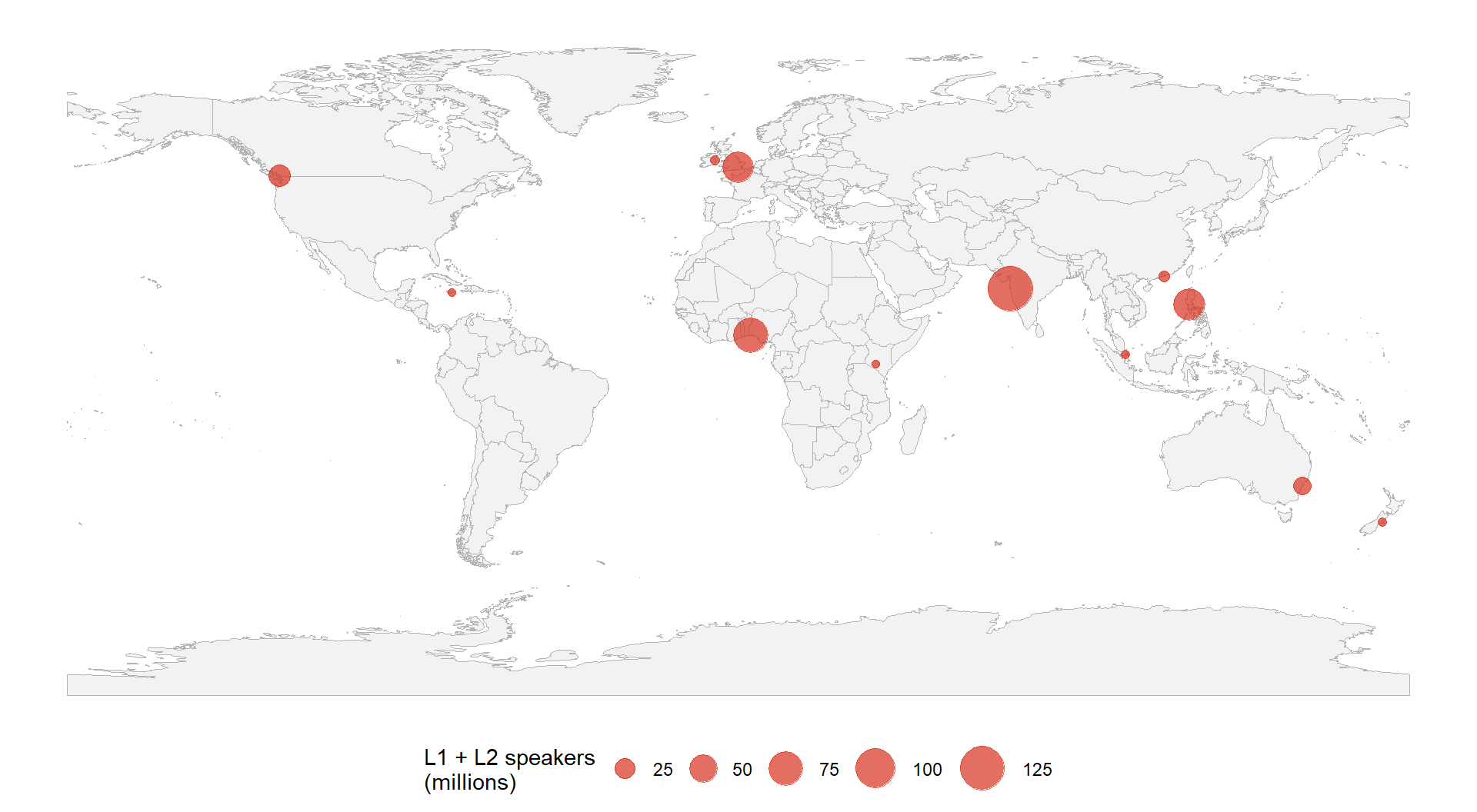
Point size is a good channel for an additional numeric variable, as long as the range is modest. If each ICE corpus is roughly a million words, that is uniform; a more interesting example might scale by estimated speakers of the local variety. Mapping size to a variable requires it to live in the `sf` object itself:
```{r pt-sized, message=FALSE, warning=FALSE, fig.width=10, fig.height=5.5}
ice_sf_sized <- ice_sf |>
  dplyr::mutate(speakers_mln = c(60, 5, 29, 3, 79, 3,
                                 129, 4, 7, 64, 19, 4))

ggplot() +
  geom_sf(data = world, fill = "grey95", colour = "grey70", linewidth = 0.2) +
  geom_sf(data = ice_sf_sized,
          aes(size = speakers_mln),
          colour = "#d7301f", alpha = 0.7) +
  scale_size_area(name = "L1 + L2 speakers\n(millions)",
                  max_size = 10) +
  theme_void() +
  theme(legend.position = "bottom")
```
`scale_size_area()` maps the variable to the *area* of the point, which is what the eye perceives — using `scale_size()` instead would scale the radius and exaggerate large values.
**Q4. You have a tibble with columns `city`, `lon`, and `lat` and you want to turn it into an `sf` object of city locations in WGS84 longitude/latitude. Which call is correct?**
```{r}
#| echo: false
#| label: "GEO_Q4"
check_question(
"sf::st_as_sf(cities, coords = c(\"lon\", \"lat\"), crs = 4326)",
options = c(
"sf::st_as_sf(cities, coords = c(\"lon\", \"lat\"), crs = 4326)",
"sf::st_as_sf(cities, coords = c(\"lat\", \"lon\"), crs = 4326)",
"sf::st_as_sf(cities, x = lon, y = lat, crs = 4326)",
"sf::st_as_sf(cities, coords = c(\"lon\", \"lat\"))"
),
type = "radio",
q_id = "GEO_Q4",
random_answer_order = TRUE,
button_label = "Check answer",
right = "Correct! The coords argument takes a character vector naming the longitude column first (because longitude is the x-axis) and the latitude column second. The crs argument sets the coordinate reference system — 4326 is the EPSG code for WGS84 longitude/latitude, which matches what GPS devices and geocoders produce. Omitting crs leaves the object with an undefined CRS, which will cause problems later.",
wrong = "Two gotchas to watch for: the order of coordinates in c(...), and whether the CRS can be left out."
)
```
---
# Projections and Coordinate Reference Systems {#projections}
::: {.callout-note}
## Section overview
A projection is the mathematical recipe for flattening the three-dimensional Earth onto a two-dimensional page. Every projection distorts something — area, shape, distance, or direction — and the right choice depends on what the map needs to show. This section covers how to set a projection in `ggplot2`, when to use common choices, and why the default web map projection is often the wrong one for research.
:::
## Why projection matters {-}
If you plot longitude and latitude as plain x and y, you have made a projection choice — specifically, the equirectangular projection. It is the simplest possible projection and it stretches landmasses horizontally the further you get from the equator. Greenland, close to the North Pole, looks enormous; Africa, straddling the equator, looks relatively small. For a world map that is meant to communicate relative sizes of countries honestly, this is a poor choice [@monmonier2018lie].
`coord_sf()` accepts a `crs` argument that reprojects the data on the fly. You can specify the CRS by its EPSG code (a short integer identifier) or by a PROJ string. The most useful CRS codes to know are:
```{r proj-table, message=FALSE, warning=FALSE, echo=FALSE}
projections_df <- tibble::tribble(
~Code, ~Name, ~`Good for`,
"EPSG:4326", "WGS84 longitude/latitude", "Default for raw lon/lat data; not a map projection",
"EPSG:3857", "Web Mercator", "Online tile maps; distorts areas badly",
"ESRI:54030", "Robinson", "World maps; good general-purpose compromise",
"ESRI:54009", "Mollweide", "World maps; equal-area, preserves relative sizes",
"EPSG:3035", "ETRS89 / LAEA Europe", "Europe-wide equal-area maps",
"EPSG:3577", "GDA94 / Australian Albers", "Australia-wide equal-area maps",
"EPSG:5070", "NAD83 / Albers (US)", "Contiguous US equal-area maps"
)
projections_df |>
flextable::flextable() |>
flextable::set_table_properties(width = .95, layout = "autofit") |>
flextable::theme_zebra() |>
flextable::fontsize(size = 11) |>
flextable::fontsize(size = 11, part = "header") |>
flextable::align_text_col(align = "left") |>
flextable::set_caption(caption = "Common coordinate reference systems and their best uses.") |>
flextable::border_outer()
```
## Reprojecting a world map {-}
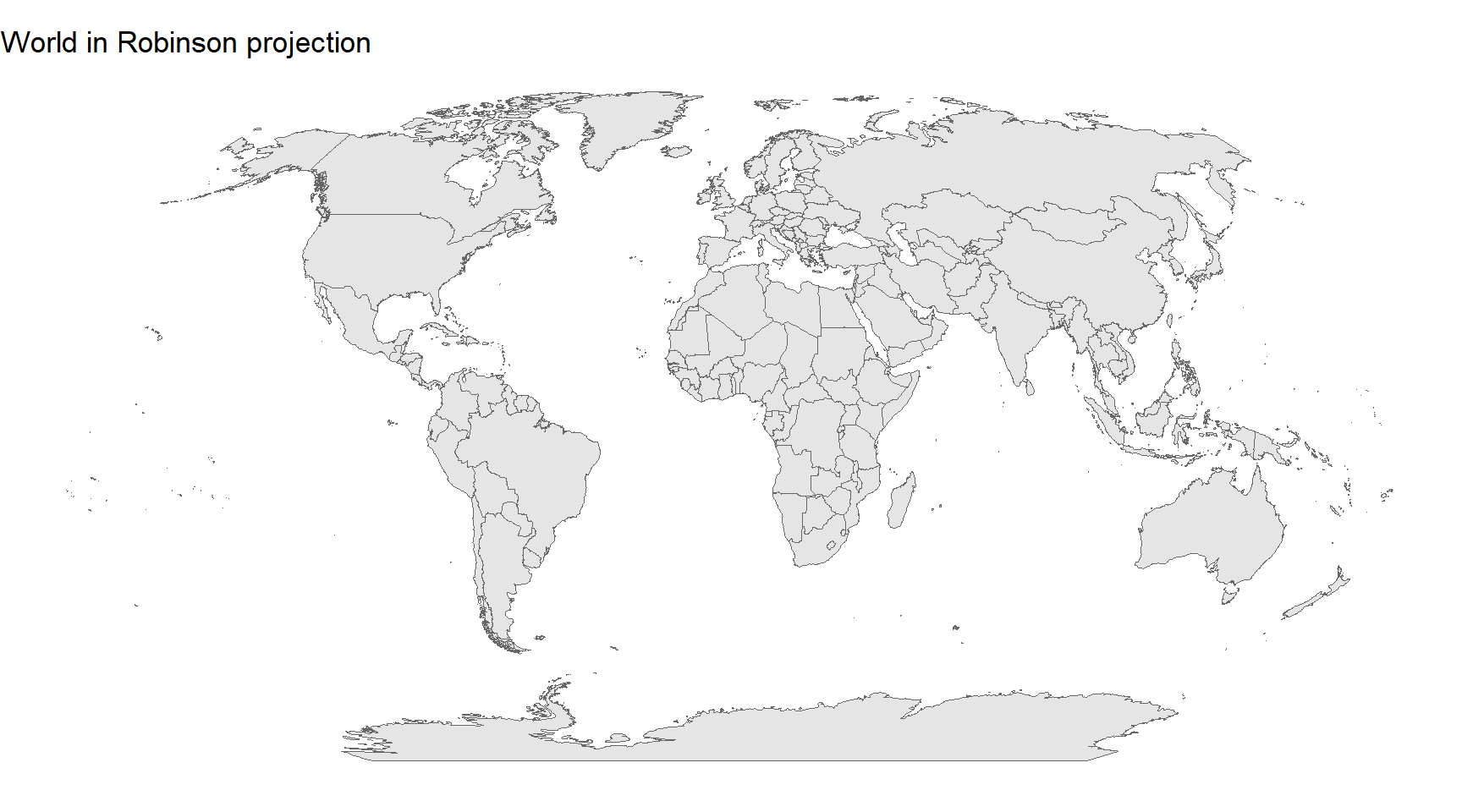
The same world map in two different projections tells very different visual stories. Compare the default longitude/latitude plot with Robinson, a widely used compromise projection for world maps:
```{r proj-robinson, message=FALSE, warning=FALSE, fig.width=9, fig.height=5}
ggplot(data = world) +
  geom_sf(fill = "grey90", colour = "grey40", linewidth = 0.2) +
  coord_sf(crs = "ESRI:54030") +
  labs(title = "World in Robinson projection") +
  theme_void()
```
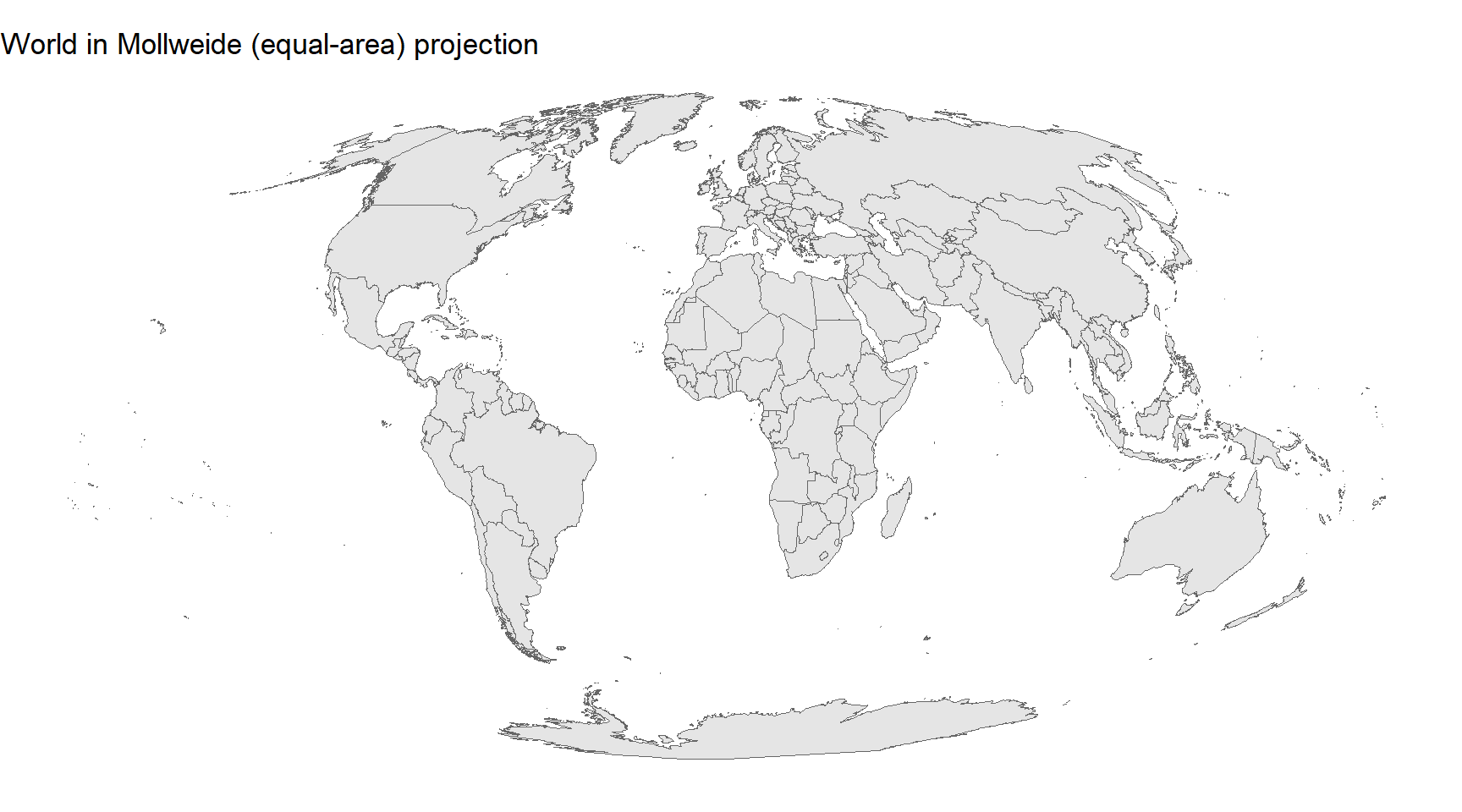
And with Mollweide, an equal-area projection in which every country takes up a page area proportional to its real-world area:
```{r proj-mollweide, message=FALSE, warning=FALSE, fig.width=9, fig.height=5}
ggplot(data = world) +
  geom_sf(fill = "grey90", colour = "grey40", linewidth = 0.2) +
  coord_sf(crs = "ESRI:54009") +
  labs(title = "World in Mollweide (equal-area) projection") +
  theme_void()
```
If your map compares a quantity by area — population density, speaker density, language family extent — an equal-area projection like Mollweide is close to a requirement. Comparing densities across projections that distort area is cartographically dishonest.
## Reprojecting a region {-}
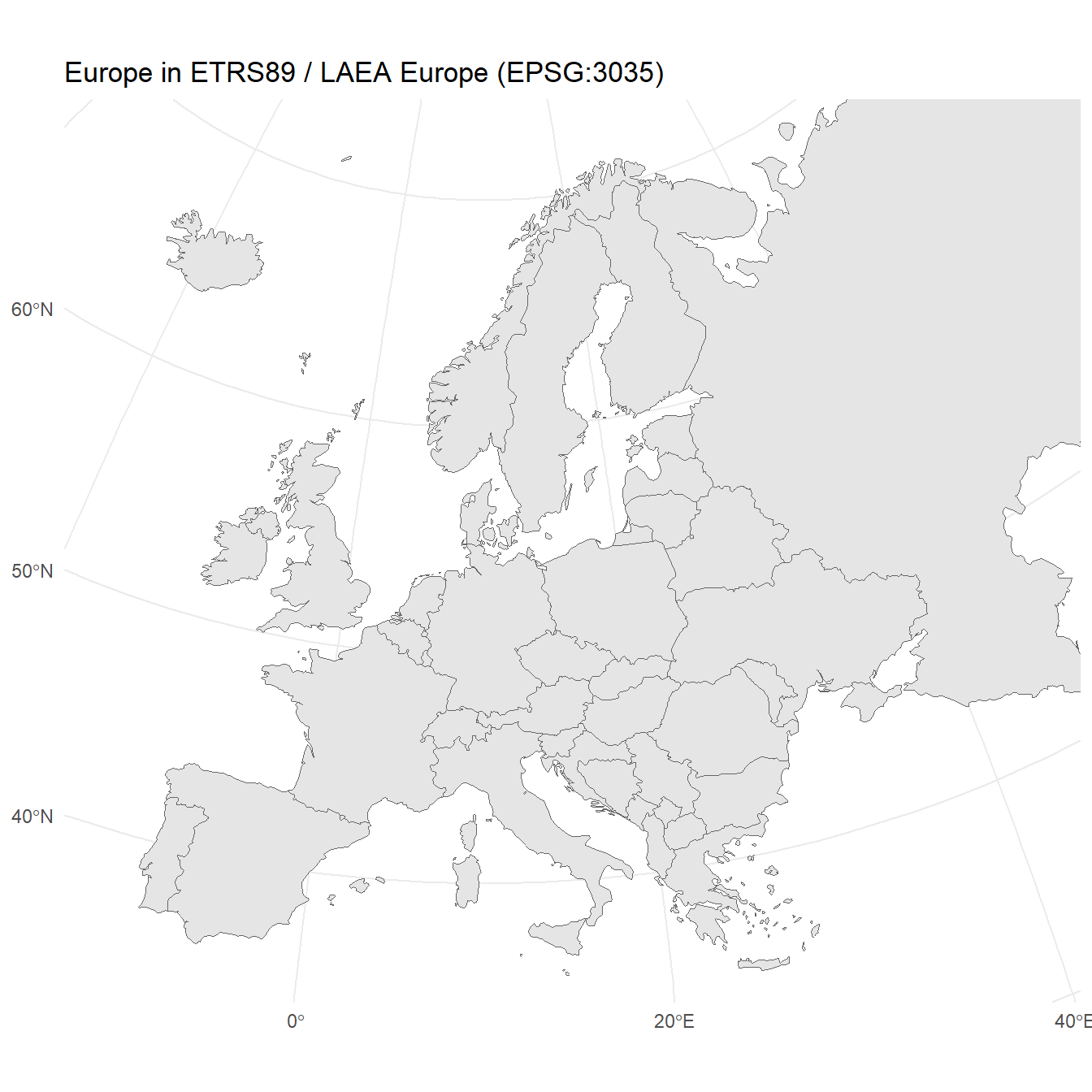
For a regional map, the right choice is usually a projection designed for that region. Europe looks very different in web Mercator (EPSG:3857) and in Lambert azimuthal equal-area for Europe (EPSG:3035):
```{r proj-europe-laea, message=FALSE, warning=FALSE, fig.width=7, fig.height=7}
ggplot(data = europe) +
  geom_sf(fill = "grey90", colour = "grey40", linewidth = 0.2) +
  coord_sf(crs = "EPSG:3035",
           xlim = c(2.5e6, 7e6), ylim = c(1.5e6, 5.5e6)) +
  labs(title = "Europe in ETRS89 / LAEA Europe (EPSG:3035)") +
  theme_minimal()
```
Notice that `xlim` and `ylim` are now in metres rather than degrees, because EPSG:3035 is a projected CRS whose units are metres. `coord_sf()` handles the unit change automatically; the only thing you have to do is pass limits that make sense in the new units.
## Explicitly reprojecting data {-}
Sometimes you need the data itself to be in a different CRS — for example, when joining two spatial datasets that must share a CRS before `sf` will combine them. Use `sf::st_transform()`:
```{r proj-transform, message=FALSE, warning=FALSE}
europe_laea <- sf::st_transform(europe, crs = "EPSG:3035")

sf::st_crs(europe_laea)$input
```
The returned object is identical to `europe` except that every geometry has been reprojected into the new CRS. The attribute columns are untouched.
**Q5. You want to publish a world map showing speaker-density per square kilometre for the world's twenty most-spoken languages. Which projection is most appropriate?**
```{r}
#| echo: false
#| label: "GEO_Q5"
check_question(
"An equal-area projection such as Mollweide, so that the per-area quantity you are mapping is not distorted by the projection itself",
options = c(
"An equal-area projection such as Mollweide, so that the per-area quantity you are mapping is not distorted by the projection itself",
"Web Mercator, because it is familiar from online maps and viewers will immediately recognise it",
"Plain longitude and latitude (EPSG:4326), because it keeps the coordinates in their original form",
"Any projection, because at the global scale the differences are too small to matter"
),
type = "radio",
q_id = "GEO_Q5",
random_answer_order = TRUE,
button_label = "Check answer",
right = "Correct! Density is a per-area quantity, so comparing densities across the map is only honest if equal areas on the Earth take up equal areas on the page. Mollweide and other equal-area projections guarantee this. Web Mercator exaggerates polar areas enormously (Greenland looks the size of Africa) and would make high-latitude density values look much larger than they are. Plain longitude and latitude is actually equirectangular and distorts east-west distance away from the equator; it is a convenience, not a research-grade map projection.",
wrong = "The variable you are mapping is per-area. What property of a projection must you preserve for a per-area quantity to be visually comparable across the map?"
)
```
---
# Cartographic Furniture {#furniture}
::: {.callout-note}
## Section overview
A finished map needs more than geometry and colour: a title, a scale bar so readers can judge distance, a north arrow so they know which way is up, a well-placed legend, and sometimes a caption with the data source. This section uses the `ggspatial` package [@dunnington2023ggspatial] to add scale bars and north arrows to `ggplot2` maps.
:::
## Scale bars and north arrows {-}
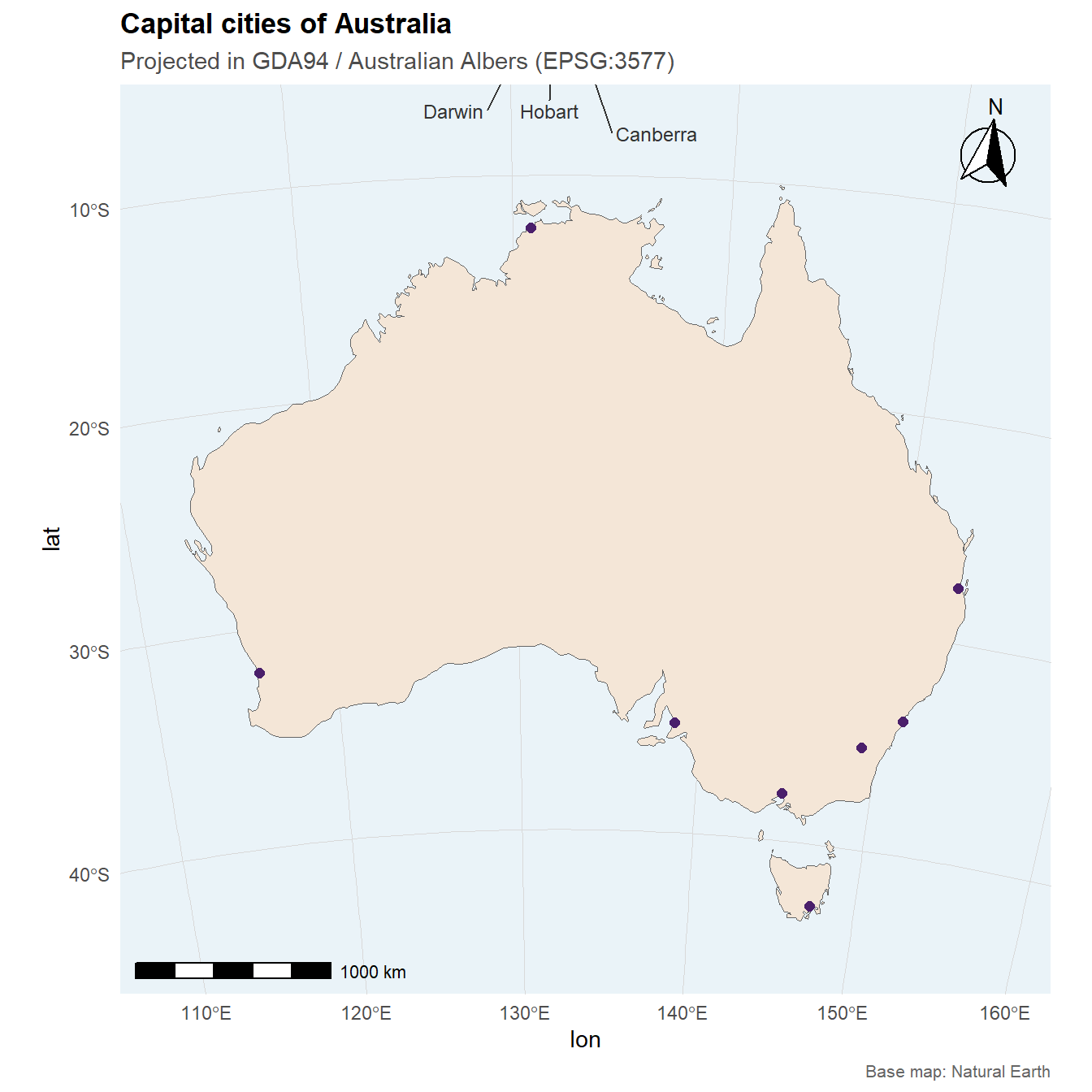
`ggspatial::annotation_scale()` draws a scale bar; `ggspatial::annotation_north_arrow()` draws a north arrow. Both take a `location` argument (`"bl"`, `"br"`, `"tl"`, `"tr"` for the four corners) and a few style arguments. A polished Australia map pulls them together:
```{r furniture-aus, message=FALSE, warning=FALSE, fig.width=7, fig.height=7}
australia <- world |>
  dplyr::filter(name_long == "Australia")

aus_cities <- tibble::tribble(
  ~city,       ~lon,     ~lat,
  "Brisbane",  153.0260, -27.4705,
  "Sydney",    151.2093, -33.8688,
  "Melbourne", 144.9631, -37.8136,
  "Perth",     115.8605, -31.9505,
  "Adelaide",  138.6007, -34.9285,
  "Hobart",    147.3272, -42.8821,
  "Darwin",    130.8456, -12.4634,
  "Canberra",  149.1300, -35.2809
)
aus_cities_sf <- sf::st_as_sf(aus_cities, coords = c("lon", "lat"), crs = 4326)

ggplot() +
  geom_sf(data = australia, fill = "#f4e6d7", colour = "grey40", linewidth = 0.3) +
  geom_sf(data = aus_cities_sf, colour = "#4a1f6b", size = 2) +
  ggrepel::geom_text_repel(
    data = aus_cities,
    aes(x = lon, y = lat, label = city),
    size = 3.2, colour = "grey20",
    min.segment.length = 0, box.padding = 0.6
  ) +
  coord_sf(crs = "EPSG:3577",
           xlim = c(-2e6, 2.3e6), ylim = c(-5e6, -0.8e6)) +
  ggspatial::annotation_scale(
    location = "bl",
    width_hint = 0.3,
    style = "bar"
  ) +
  ggspatial::annotation_north_arrow(
    location = "tr",
    which_north = "true",
    style = ggspatial::north_arrow_fancy_orienteering,
    height = unit(1.5, "cm"),
    width  = unit(1.5, "cm")
  ) +
  labs(
    title    = "Capital cities of Australia",
    subtitle = "Projected in GDA94 / Australian Albers (EPSG:3577)",
    caption  = "Base map: Natural Earth"
  ) +
  theme_minimal() +
  theme(
    panel.background = element_rect(fill = "#eaf3f8", colour = NA),
    panel.grid       = element_line(colour = "grey85", linewidth = 0.2),
    plot.title       = element_text(face = "bold"),
    plot.subtitle    = element_text(colour = "grey30"),
    plot.caption     = element_text(colour = "grey40", size = 8)
  )
```
The projection — EPSG:3577, the Australian Albers equal-area — makes the continent sit squarely on the page without the horizontal stretch of unprojected longitude/latitude. The scale bar is in kilometres because the CRS unit is metres; `annotation_scale()` picks a round number of units automatically.
A few style choices are worth noting. `which_north = "true"` makes the north arrow point to true north rather than the top of the plot, which matters whenever the map is projected and the top of the page is not north. `annotation_scale()` with `style = "bar"` gives a two-tone bar that is easier to read than the ticked default. The `caption` names the data source — a professional habit worth cultivating [@brewer2015designing].
**Q6. On a map projected in Albers equal-area (EPSG:3577) where the units are metres, what does the scale bar drawn by `ggspatial::annotation_scale()` display, and why?**
```{r}
#| echo: false
#| label: "GEO_Q6"
check_question(
"A ground distance in metres or kilometres, converted from the CRS units automatically",
options = c(
"A ground distance in metres or kilometres, converted from the CRS units automatically",
"A longitude-degree span, derived from the plot's xlim argument",
"The plot's physical width in centimetres on the page",
"A relative percentage of the map width, with no absolute distance information"
),
type = "radio",
q_id = "GEO_Q6",
random_answer_order = TRUE,
button_label = "Check answer",
right = "Correct! A scale bar represents a ground distance — how far it is on the Earth from one end of the bar to the other. ggspatial reads the CRS of the map, picks appropriate units (metres for short distances, kilometres for longer ones), and converts the bar's drawn length into a round number of those units. This is why using an appropriate projected CRS matters: on an unprojected longitude/latitude map, a scale bar is only approximately correct and only at a specific latitude.",
wrong = "A scale bar is about distance on the ground, not about anything to do with the page or the input coordinates directly. What distance does ggspatial have to compute from, and what unit does it come out in?"
)
```
---
# Thematic Mapping with tmap {#tmap}
::: {.callout-note}
## Section overview
`tmap` [@tennekes2018tmap] is an alternative mapping package built specifically for thematic cartography. Its grammar is similar in spirit to `ggplot2` but tuned to cartographic conventions: default colour palettes, classed legends, and cleaner handling of multi-panel maps. This section introduces the basics and shows where it is faster to reach for than `ggplot2`.
:::
## The tmap grammar {-}
A `tmap` map starts with `tm_shape()` naming the data, followed by one or more `tm_*` layers specifying what to draw with it:
```{r tmap-basic, message=FALSE, warning=FALSE, fig.width=8, fig.height=5}
tmap::tmap_mode("plot")

tmap::tm_shape(europe) +
  tmap::tm_polygons(fill = "pop_est",
                    fill.scale = tm_scale_intervals(style = "quantile",
                                                    values = "viridis"),
                    fill.legend = tm_legend(title = "Population")) +
  tmap::tm_title("European countries by population estimate")
```
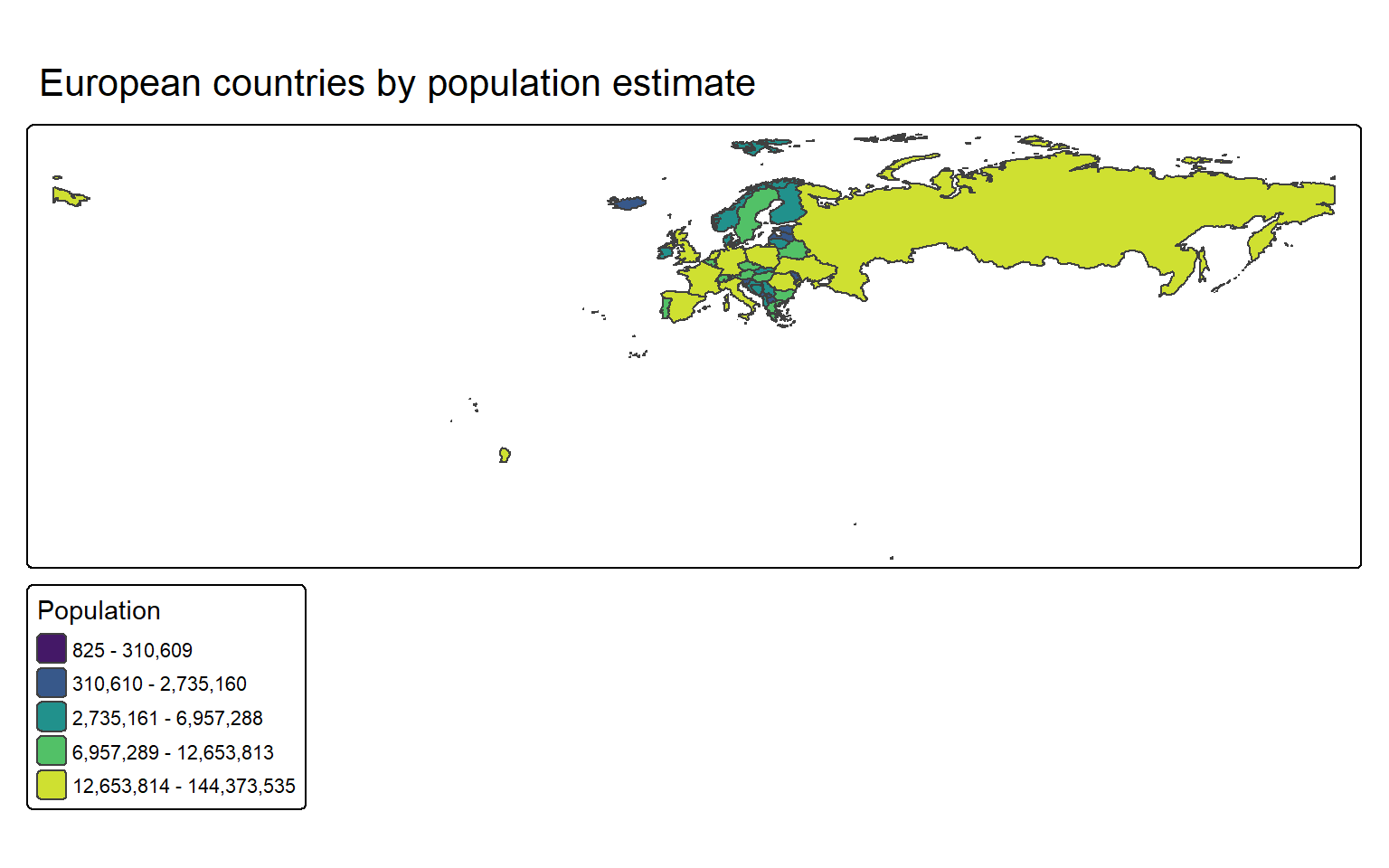
Three things to notice. First, `tm_polygons()` combines fill and outline in a single call — it is the common cartographic pattern of filled regions with thin boundaries. Second, `tm_scale_intervals()` picks classed breaks in your data (quantile, equal, pretty, jenks) rather than a continuous ramp; this reflects the cartographic preference for a small number of discrete classes, which readers can match to the legend without squinting. Third, `tmap_mode("plot")` sets static output; `tmap_mode("view")` would switch to an interactive `leaflet` map instead.
## Faceting by a variable {-}
Faceted maps — the same geometry drawn once per level of a grouping variable — are concise in `tmap`:
```{r tmap-facet, message=FALSE, warning=FALSE, fig.width=10, fig.height=6}
europe_sub <- europe |>
  dplyr::filter(subregion %in% c("Northern Europe",
                                 "Western Europe",
                                 "Southern Europe",
                                 "Eastern Europe"))

tmap::tm_shape(europe_sub) +
  tmap::tm_polygons(fill = "pop_est",
                    fill.scale = tm_scale_intervals(style = "quantile",
                                                    values = "plasma"),
                    fill.legend = tm_legend(title = "Population")) +
  tmap::tm_facets(by = "subregion", nrow = 2)
```
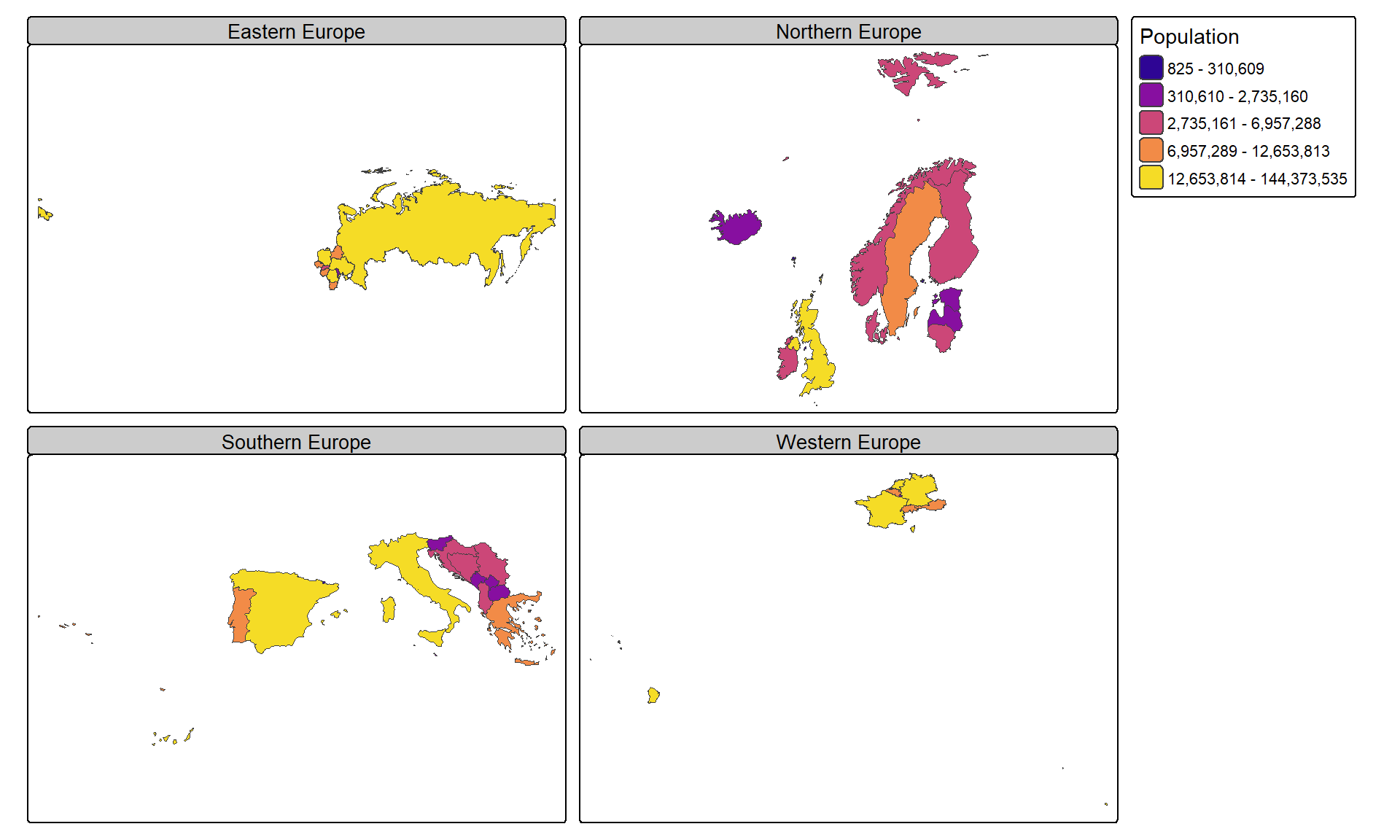
Each panel is drawn to the same extent and the same colour scale, which is what you want for comparison. In `ggplot2`, achieving the same result requires more setup.
## When to pick which {-}
`ggplot2` is the right default when the map is part of a larger figure made of `ggplot2` layers, when you want fine control over every visual element, or when you are using projections and transformations that `ggplot2`'s `coord_sf()` makes natural. `tmap` is the right default when the map stands alone, when you want sensible cartographic defaults with minimal work, or when you want faceted thematic maps. The two coexist happily in a project — pick per map rather than per project.
**Q7. You want to produce six small maps side-by-side, one per decade, showing a dialect feature's spread. Each panel uses the same base geometry and the same colour scale. Which choice is likely to be fastest to write?**
```{r}
#| echo: false
#| label: "GEO_Q7"
check_question(
"tmap with tm_facets() by decade",
options = c(
"tmap with tm_facets() by decade",
"ggplot2 with facet_wrap() over a long-format sf object",
"Six separate ggplot2 calls combined with patchwork",
"A single ggplot2 call with colour mapped to decade"
),
type = "radio",
q_id = "GEO_Q7",
random_answer_order = TRUE,
button_label = "Check answer",
right = "Correct! Faceted thematic maps are exactly what tmap's tm_facets() is designed for — you get shared geometry, shared colour scale, consistent legends, and a tidy layout with one line of code. ggplot2 with facet_wrap() can do the same thing, but requires more careful preparation of the data in long format and more layout tuning. Combining six separate plots with patchwork works but is more code; mapping decade to colour collapses all six into one panel and defeats the purpose.",
wrong = "The question asks about repeating the same map once per group. Which tool has a dedicated function for that pattern?"
)
```
---
# Exporting Publication-Quality Maps {#export}
::: {.callout-note}
## Section overview
A map that looks good on screen often looks bad in print — jagged edges, muddy colours, text too small to read. This section covers how to save a map at the right resolution, in the right format, and at the right physical size for a journal or thesis.
:::
## ggsave {-}
For `ggplot2` maps, `ggsave()` writes the last-drawn plot (or any plot object you pass to it) to a file. The arguments that matter most for print are `width`, `height`, `units`, and `dpi`:
```{r export-ggsave, eval=FALSE}
ggsave(
  filename = "australia_capitals.pdf",
  plot     = last_plot(),
  width    = 170,
  height   = 170,
  units    = "mm",
  dpi      = 300
)

ggsave(
  filename = "australia_capitals.png",
  plot     = last_plot(),
  width    = 170,
  height   = 170,
  units    = "mm",
  dpi      = 600
)
```
A width of 170 mm fits a two-column journal page across both columns; 85 mm fits a single column. Linguistics journals typically require 300 dpi for raster figures and prefer vector formats where possible. For `tmap`, use `tmap::tmap_save()` with the same `width`, `height`, and `dpi` arguments.
## Vector vs raster {-}
Two broad choices face you when exporting. **Vector formats** — PDF, SVG, EPS — store the map as a set of drawing instructions. They scale to any size without quality loss, so a map that is sharp at 85 mm will still be sharp if blown up to a conference poster. Prefer vector for anything that will be printed. **Raster formats** — PNG, TIFF, JPG — store the map as a grid of pixels. They are useful on the web, in slides, and when the map contains very many fine features (a dense scatter of points, a textured raster surface) that would make a vector file huge. PNG is the sensible default raster format; TIFF is required by some publishers; JPG is a poor choice for maps because its lossy compression blurs text and sharp edges.
## Font sizes {-}
A map that renders at 170 mm wide must have text that is readable at 170 mm — not at the 400 mm width RStudio shows you on screen. The rule of thumb: aim for 8 to 10 point text in the final figure. Set font sizes in `ggplot2` with `theme(...)`:
```{r export-fontsizes, eval=FALSE}
theme(
  plot.title    = element_text(size = 11, face = "bold"),
  plot.subtitle = element_text(size = 10),
  plot.caption  = element_text(size = 8),
  legend.title  = element_text(size = 9),
  legend.text   = element_text(size = 8),
  axis.text     = element_text(size = 8)
)
```
Preview the saved file at 100% zoom before trusting that the map is legible. Previewing in RStudio's zoomed plot pane is misleading.
---
# Interactive Mapping {#interactive}
::: {.callout-note}
## Section overview
This section is a pointer, not a tutorial in itself. Interactive maps — pan, zoom, click, hover — are better served by a dedicated tutorial.
:::
If you need a map that readers can pan, zoom, and interact with, the `leaflet` package is the standard tool. It integrates with HTML output formats, Quarto documents, R Markdown, and Shiny applications. A one-line conversion from a static `tmap` map to an interactive one is as simple as `tmap::tmap_mode("view")` before drawing. The LADAL tutorial on [Interactive Visualizations in R](/tutorials/interactive_viz/interactive_viz.html) covers `leaflet` in depth, including markers, popups, choropleth polygons, and tile layers.
---
# Quick Reference {.unnumbered}
## Essential functions {-}
```{r qr-functions, message=FALSE, warning=FALSE, echo=FALSE}
functions_df <- tibble::tribble(
~Function, ~Purpose,
"sf::st_as_sf()", "Turn a data frame with lon/lat columns into an sf object",
"sf::st_read() / sf::read_sf()", "Read a shape file or GeoJSON from disk",
"sf::st_write()", "Write an sf object to a shape file or GeoJSON",
"sf::st_crs()", "Inspect an object's coordinate reference system",
"sf::st_transform()", "Reproject an sf object to a different CRS",
"rnaturalearth::ne_countries()", "Get world or regional country boundaries",
"ggplot2::geom_sf()", "Draw an sf object (points, lines, polygons)",
"ggplot2::coord_sf()", "Set projection, limits, and axis labels on a ggplot map",
"ggspatial::annotation_scale()", "Add a scale bar to a ggplot map",
"ggspatial::annotation_north_arrow()", "Add a north arrow to a ggplot map",
"ggrepel::geom_text_repel()", "Add non-overlapping text labels to a map",
"tmap::tm_shape() / tm_polygons()", "Build a thematic map in tmap",
"tmap::tm_facets()", "Draw one small-multiple panel per level of a grouping variable",
"ggplot2::ggsave() / tmap::tmap_save()", "Save a map to PDF, PNG, SVG, or TIFF"
)
functions_df |>
flextable::flextable() |>
flextable::set_table_properties(width = .95, layout = "autofit") |>
flextable::theme_zebra() |>
flextable::fontsize(size = 11) |>
flextable::fontsize(size = 11, part = "header") |>
flextable::align_text_col(align = "left") |>
flextable::set_caption(caption = "Core geospatial visualisation functions covered in this tutorial.") |>
flextable::border_outer()
```
## A short projection decision guide {-}
For a world map where honest areas matter (density, extent, distribution): use an equal-area projection such as Mollweide (`ESRI:54009`) or an Albers variant. For a world map used purely for navigation or orientation: Robinson (`ESRI:54030`) is a widely accepted compromise. For a continent-scale map: use a projection designed for that continent — EPSG:3035 for Europe, EPSG:3577 for Australia, EPSG:5070 for the contiguous US. For a city or sub-national map: use the local national grid if one exists. For a web tile map (and only then): web Mercator (EPSG:3857). Never use web Mercator for printed research maps.
## Further reading {.unnumbered}
- [Geocomputation with R](https://r.geocompx.org) [@lovelace2019geocomputation] — the standard open textbook on spatial R
- [Spatial Data Science](https://r-spatial.org/book/) [@pebesma2023spatial] — the modern reference, with full treatment of `sf` and `stars`
- [The r-spatial website](https://r-spatial.org/) — tutorials, package news, cartographic examples
- [Natural Earth](https://www.naturalearthdata.com/) — free, high-quality public-domain base map data
- [Glottolog](https://glottolog.org) [@hammarstrom2022glottolog] — world language locations as point data
# Citation and Session Info {.unnumbered}
::: {.callout-note}
## Citation
```{r citation-callout, echo=FALSE, results='asis'}
doi_link <- if (nchar(trimws(params$doi)) > 0) {
paste0(
" doi: <a href=\"https://doi.org/", params$doi,
"\" target=\"_blank\">", params$doi, "</a>."
)
} else { "" }
cat(
params$author, ". ",
params$year, ". *",
params$title, "*. ",
params$institution, ". ",
"url: ", params$url, " ",
"(Version ", params$version, ").",
doi_link,
sep = ""
)
```
```{r citation-bibtex, echo=FALSE, results='asis'}
key <- paste0(
tolower(gsub(" ", "", gsub(",.*", "", params$author))),
params$year,
tolower(gsub("[^a-zA-Z]", "", strsplit(params$title, " ")[[1]][1]))
)
cat("```\n")
cat("@manual{", key, ",\n", sep = "")
cat(" author = {", params$author, "},\n", sep = "")
cat(" title = {", params$title, "},\n", sep = "")
cat(" year = {", params$year, "},\n", sep = "")
cat(" note = {", params$url, "},\n", sep = "")
cat(" organization = {", params$institution, "},\n", sep = "")
cat(" edition = {", params$version, "},\n", sep = "")
cat(" doi = {", params$doi, "}\n", sep = "")
cat("}\n```\n")
```
:::
```{r session-info}
sessionInfo()
```
::: {.callout-note}
## AI Transparency Statement
This tutorial was drafted with the assistance of **Claude** (claude.ai), a large language model created by Anthropic. Claude was used to draft the structure and prose across all sections, write the R code for every example (base maps, choropleth, point maps, projections, cartographic furniture, and `tmap` comparisons), compose the seven `checkdown` exercises with their right/wrong feedback, assemble the Quick Reference tables, and write the companion `.bib` file. The modern CRAN-only package stack (`sf`, `ggplot2`, `rnaturalearth`, `rnaturalearthdata`, `ggspatial`, `ggrepel`, `tmap`) was chosen specifically to replace the retired `maptools`, `rgeos`, and `rgdal` packages used in the previous version of this tutorial. All content was reviewed and approved by Martin Schweinberger, who takes full responsibility for its accuracy and pedagogical appropriateness.
:::
[Back to top](#introduction)
[Back to HOME](/)
# References {.unnumbered}